AdroitPad

NEW IN ADROITPAD 2.0

Your repo, right beside what you know about it

A fast file tree, a plain editor and a real terminal for the folder linked to your Project — and Open in… for when you need the full IDE.

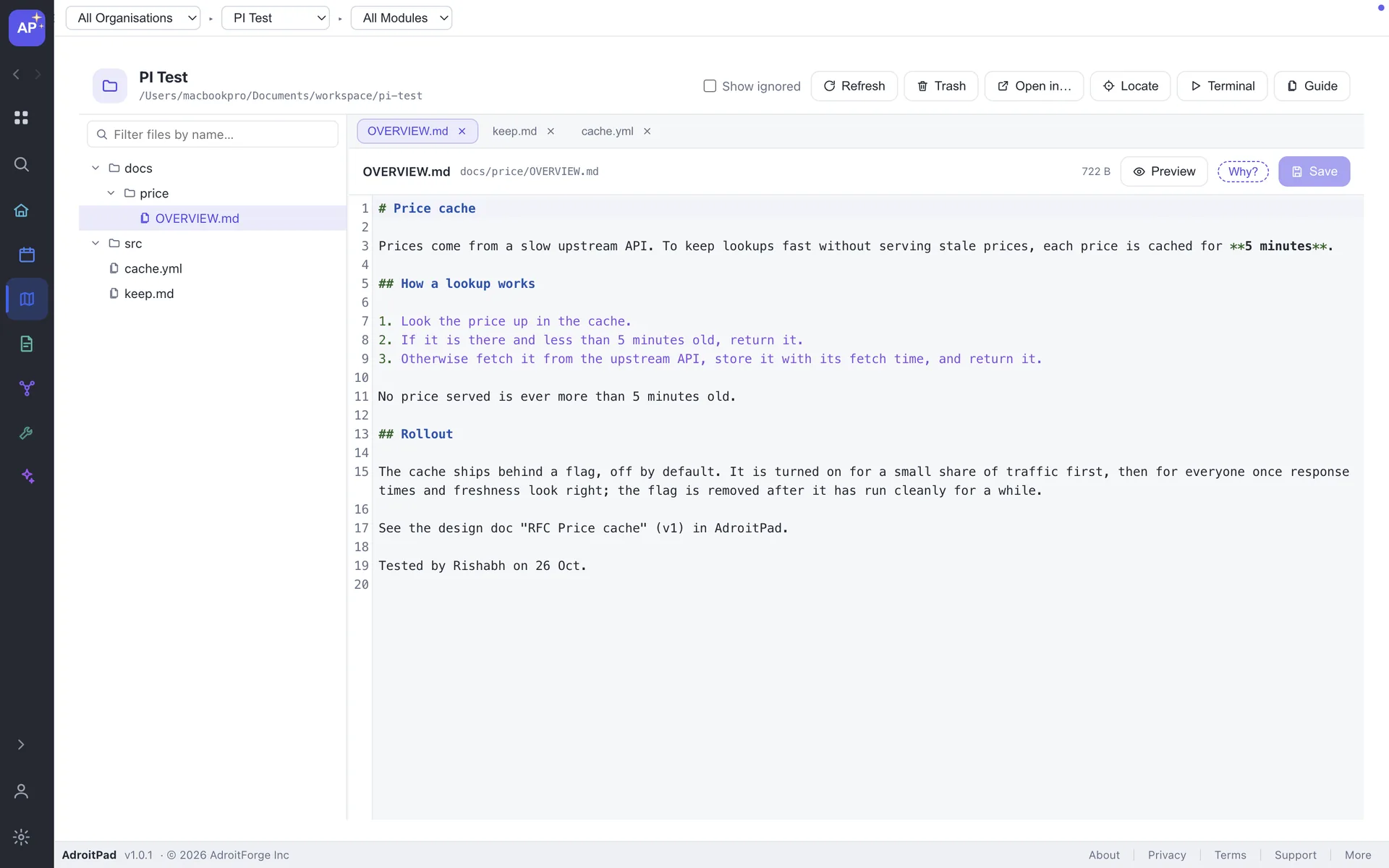
Project Explorer showing a linked folder tree, tabs and a plain text editor beside project files

DELIBERATELY SIMPLE

The parts you need, without pretending to be an IDE.

Tree

One linked folder per Project. Expand lazily, respect .gitignore at every level, reveal ignored files dimmed with Show ignored, find files by name and locate the active file. New file, folder, rename, move, reveal in Finder and delete-to-Trash are built in.
Editor

Tabs have their own undo history. Syntax colouring for JavaScript, TypeScript, Java, JSON, HTML, CSS, Markdown, YAML and Python is cosmetic only. Preview Markdown, see images inline, and keep unsaved drafts in the encrypted vault through a crash or restart.

Terminal

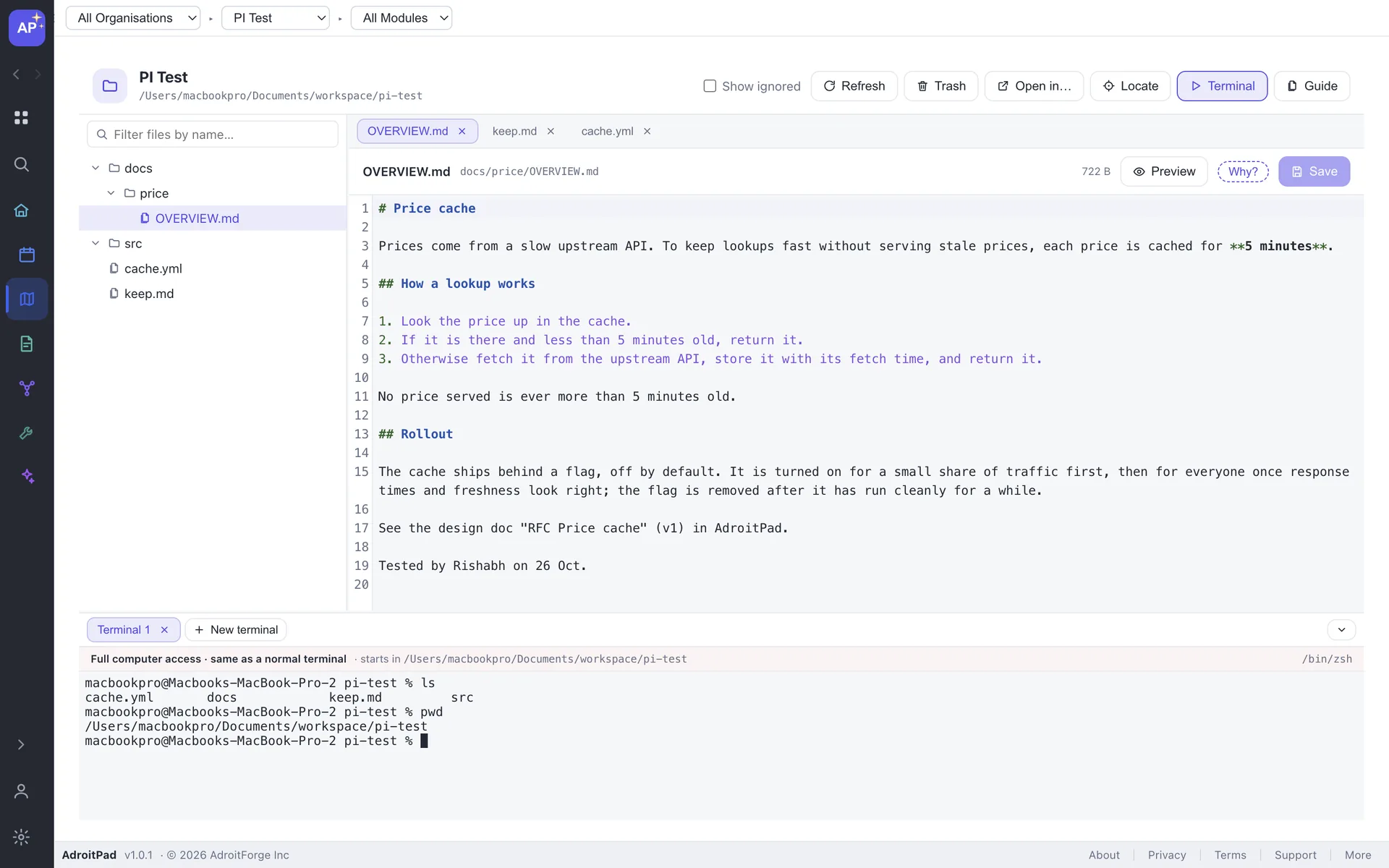
Your real login shell starts in the linked folder. Open multiple tabs per Project; sessions keep running when you switch Projects. First use shows a full-access notice, with optional restricted mode for writes.

Project Explorer terminal open below the file editor, started in the linked project folder

When a file changes on disk while you edit, AdroitPad asks Reload or Keep mine. Files created by a build, git checkout or another editor appear as open folders are watched.

PROJECT INTELLIGENCE

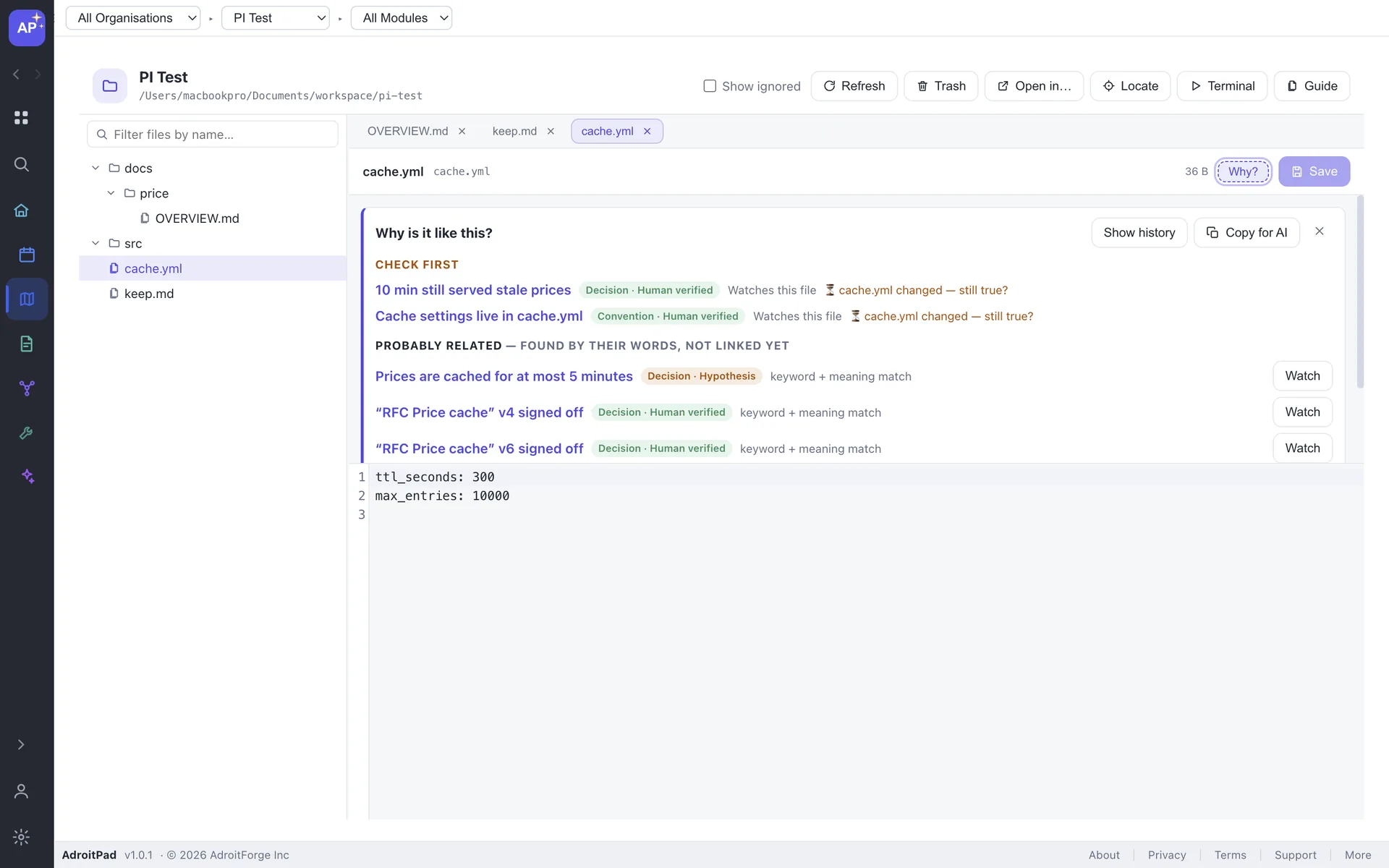
Why? for any file.

The editor header can show the memories that watch or mention the file. Watch a file so its memory asks “changed since you last confirmed this — still true?” when it changes.

Why panel beside a project file showing trusted memories and watched file context

OPEN IN…

One click into your IDE.

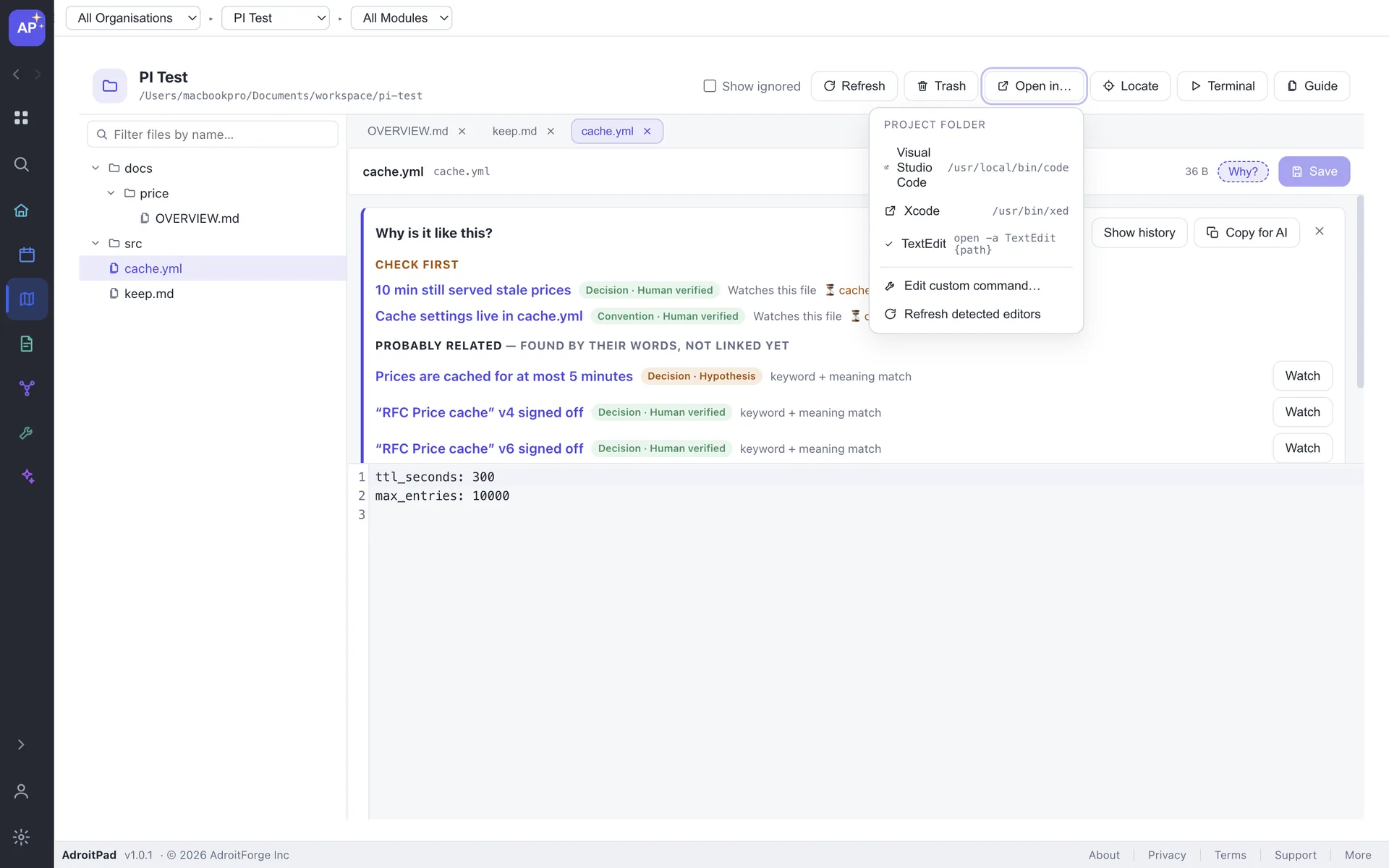
Open in menu listing Visual Studio Code, Xcode, TextEdit and a custom command for the linked project folder

Open in… detects VS Code, Cursor, IntelliJ IDEA, Sublime Text, Zed and friends on your PATH, plus any custom command. Hand over the folder or a single file when you need the full IDE.

QUICK VIEW

Open a record without losing your place.

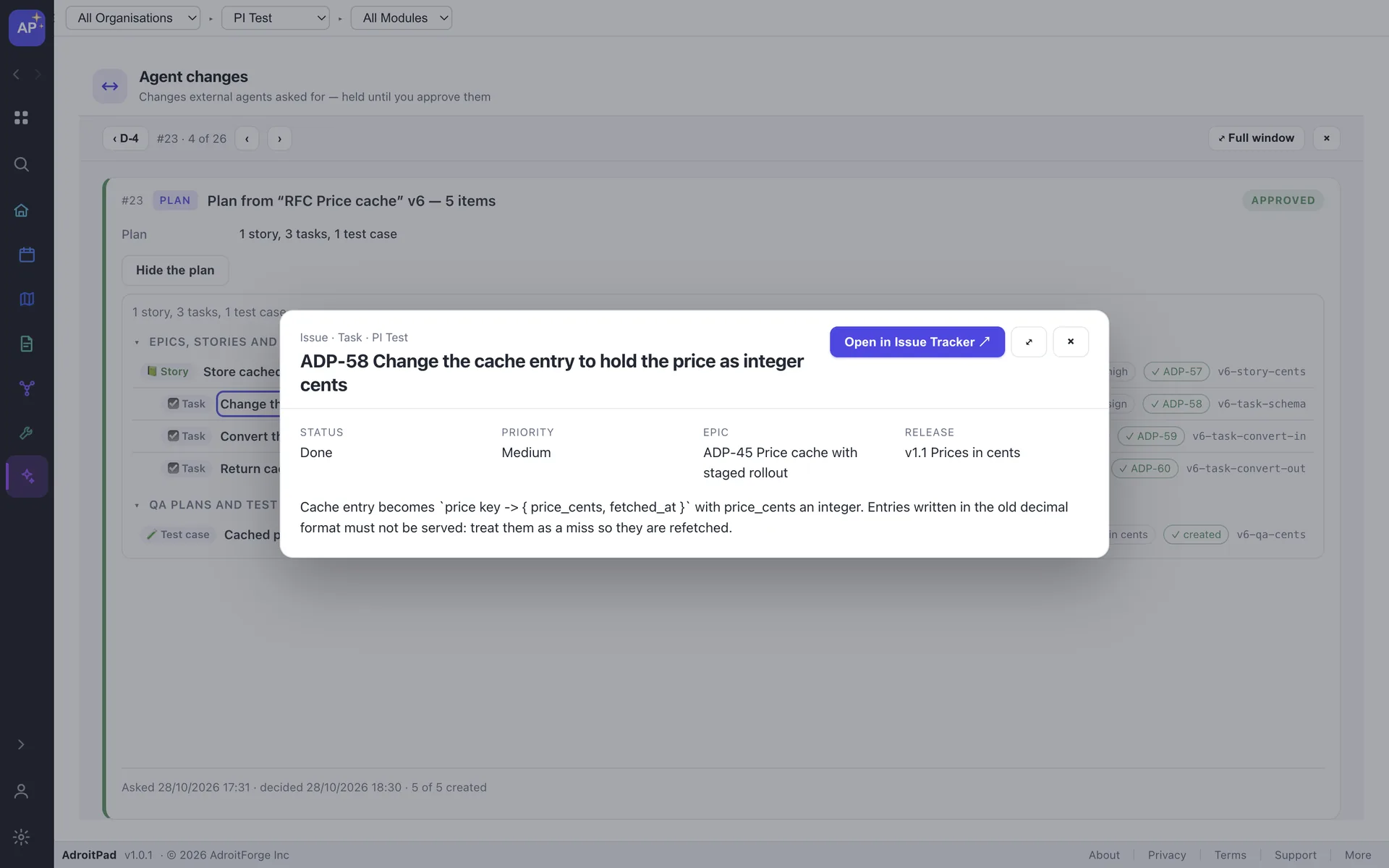
A record link anywhere in AdroitPad — an issue, design doc, file or folder — opens a quick view over the current screen first. Choose Open in… when you want the full destination.

Quick view overlay showing an issue task over the current AdroitPad screen with an Open in Issue Tracker action

HONEST BOUNDARIES

A focused project surface, not a replacement IDE.

No language servers

No autocomplete, linting, compile errors, debugging or refactoring.

No content search

Find files by name, not across file contents. Your IDE and terminal do that better.

Restricted mode is not a security boundary

It fences writes to avoid slips; do not use it as protection for untrusted code.

FAQ

Simple by design.

Does it replace my IDE?

No. Project Explorer is deliberately simple. Open in… hands the linked folder or a single file to VS Code, Cursor, IntelliJ IDEA, Sublime Text, Zed or another editor.

Does it upload my code?

No. Files stay local. If you connect an AI agent, that agent may read what you allow and send it to its own model provider; see /features/ai-agents.

Is the terminal sandboxed?

Full access by default. Optional restricted mode limits writes to the project folder plus a short allow-list. It is a guard against slips, not a security boundary for untrusted code.

What about big repos?

Folders load as you expand them, so a huge monorepo opens instantly. Open folders are watched for files created by builds, git checkouts or another editor.

ADROITPAD 2.0

Your repo, beside your project memory.

Download free