 AdroitPad
1
Turn it on and create a connection
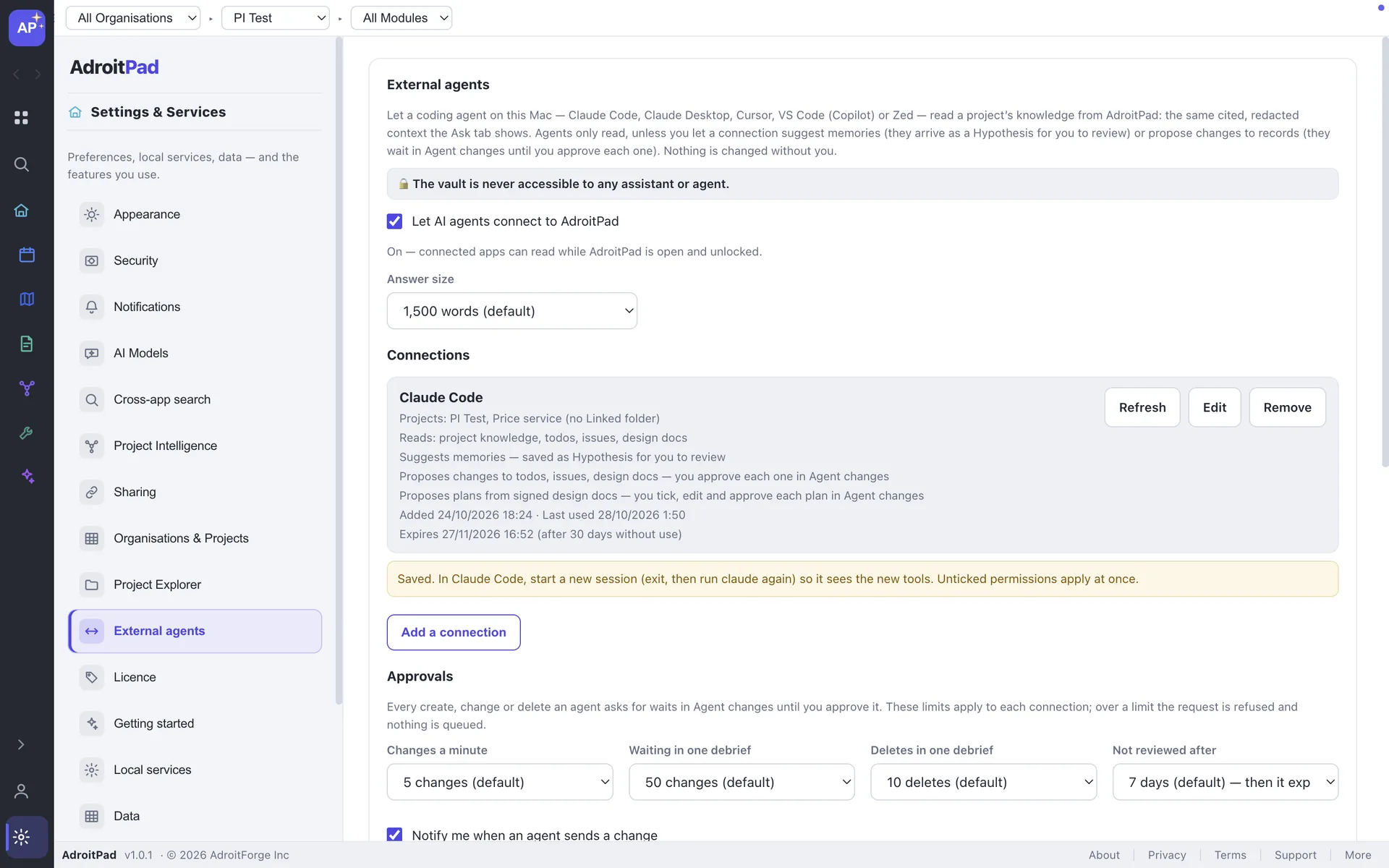
Settings ▸ External agents asks once whether what an agent reads can go to that agent’s model provider. Pick the app, projects and permissions, then copy a command or JSON block.
NEW IN ADROITPAD 2.0
AdroitPad runs a local MCP server. Claude Code, Claude Desktop, Cursor, VS Code (Copilot) and Zed ask it what the project knows, plan from the design docs you sign, and report what they did — and ask before they change anything.
A signed design becomes an approved plan, with progress and delivery evidence.
HOW IT WORKS
1
Settings ▸ External agents asks once whether what an agent reads can go to that agent’s model provider. Pick the app, projects and permissions, then copy a command or JSON block.
2
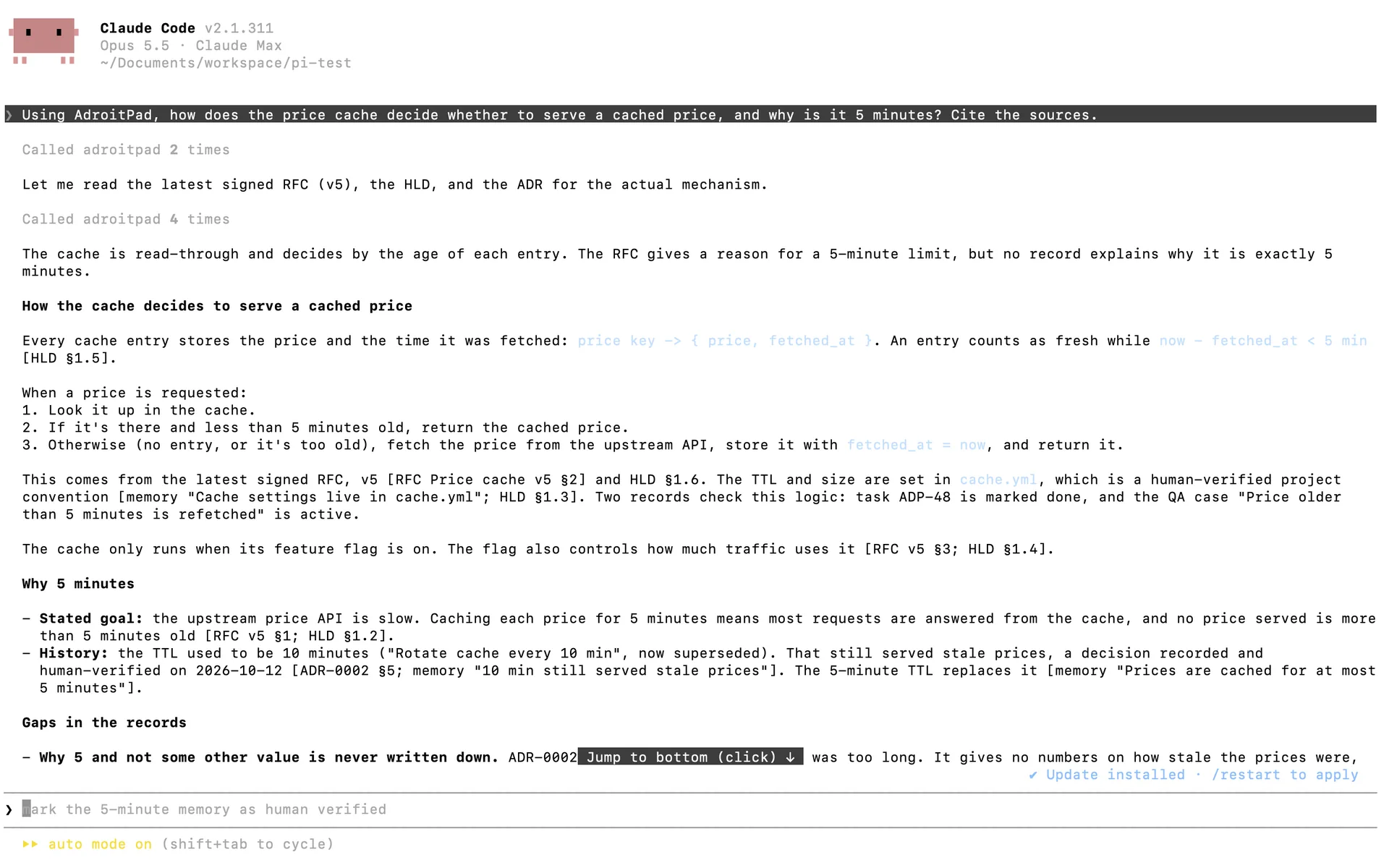
It gets numbered, cited context. It can list todos, issues or releases, or read a design doc section by section, if you allowed it.
3
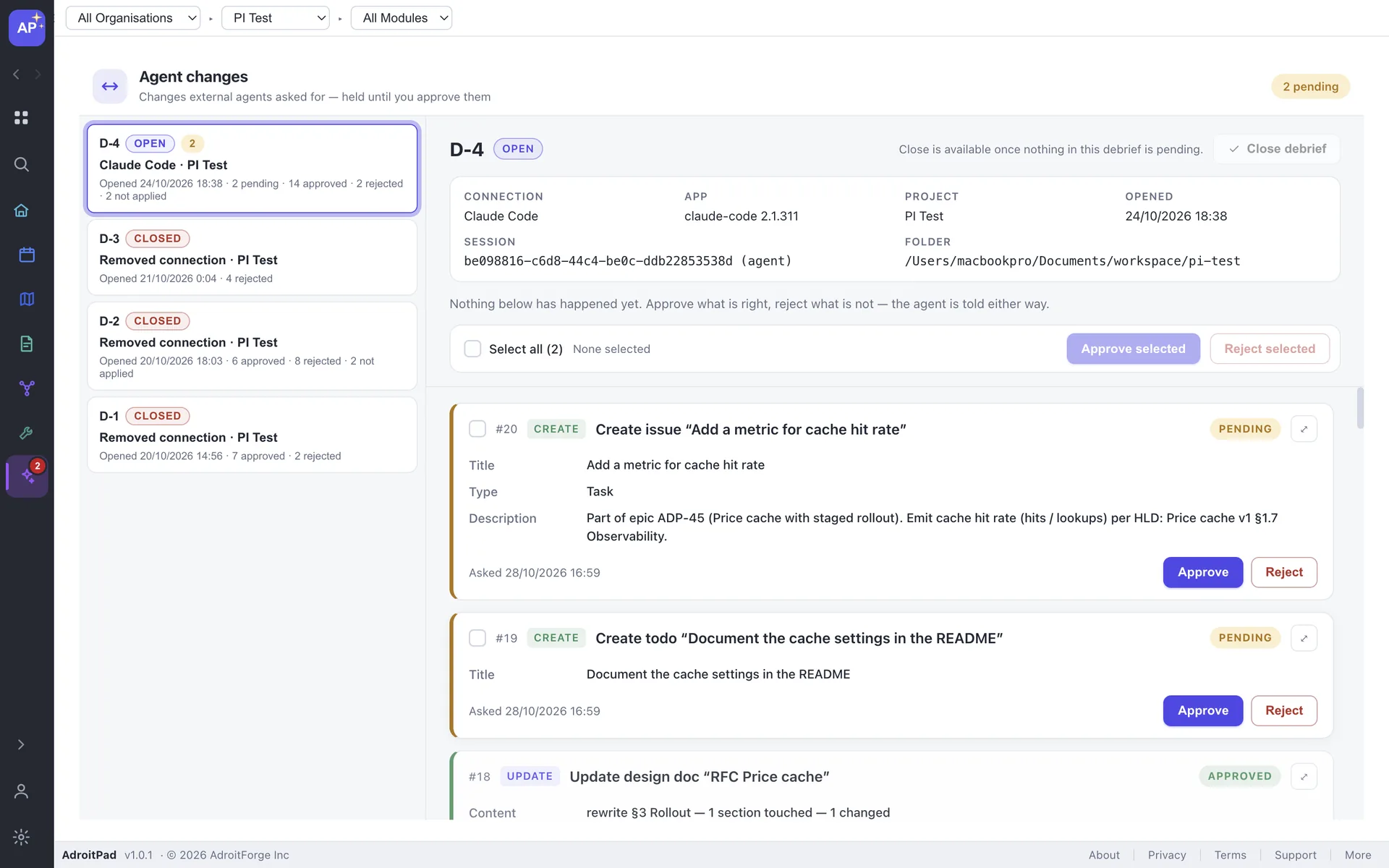
Anything it wants to change waits in Agent changes. Review the debrief, then approve or reject it.
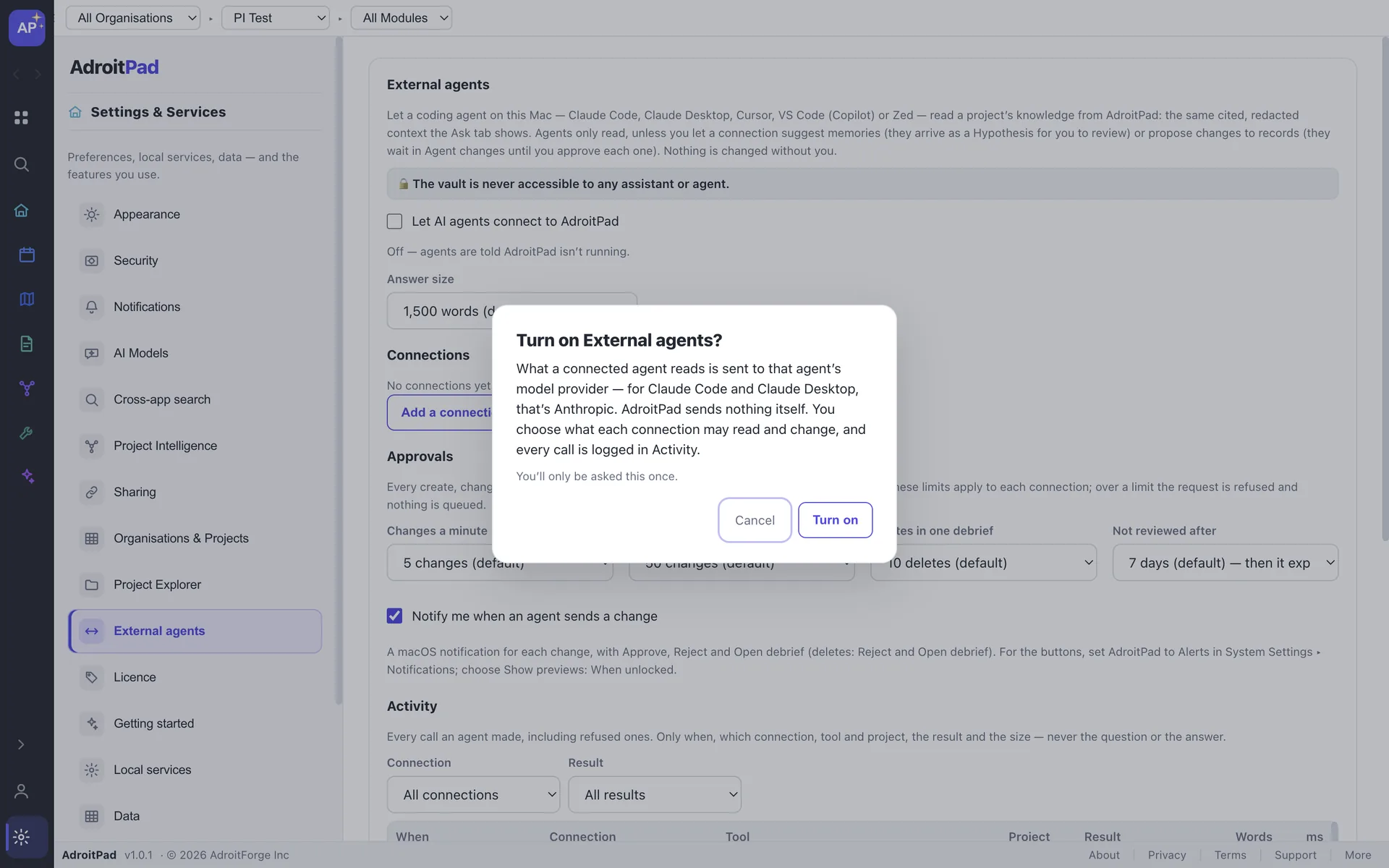
The disclosure is explicit: the agent sends what you let it read to its own model provider. AdroitPad does not send it itself.
SIGNED DESIGN DOCS
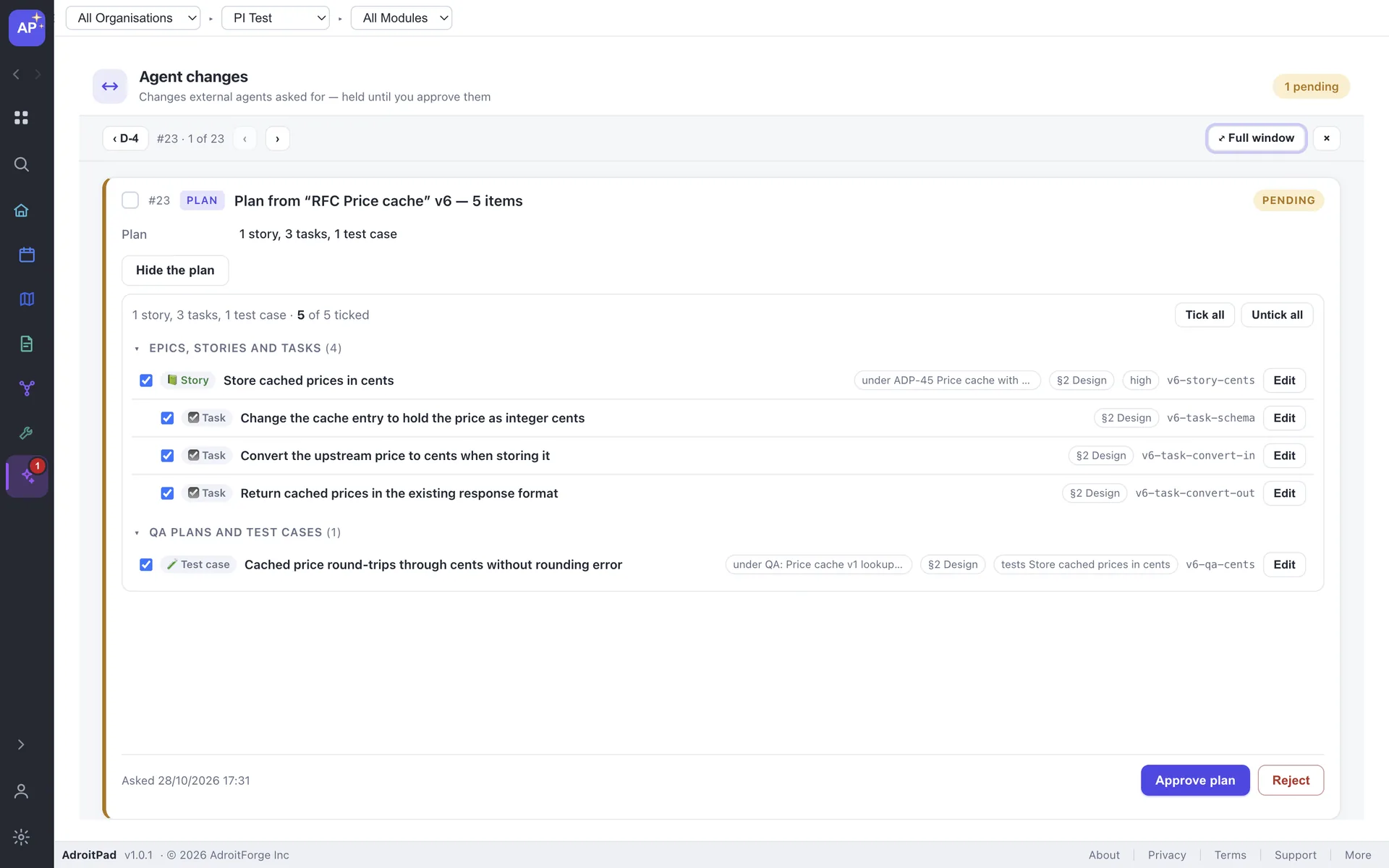
Signing freezes a version. The agent proposes epics, stories, tasks, sprints, milestones, releases, QA plans and cases, child docs, diagrams — even new modules and files in the linked folder — as one plan you review as a tree.
Write the doc
Sign off (v1)
Agent proposes a plan
You tick, edit, approve
Every record says “From v1 · §2”
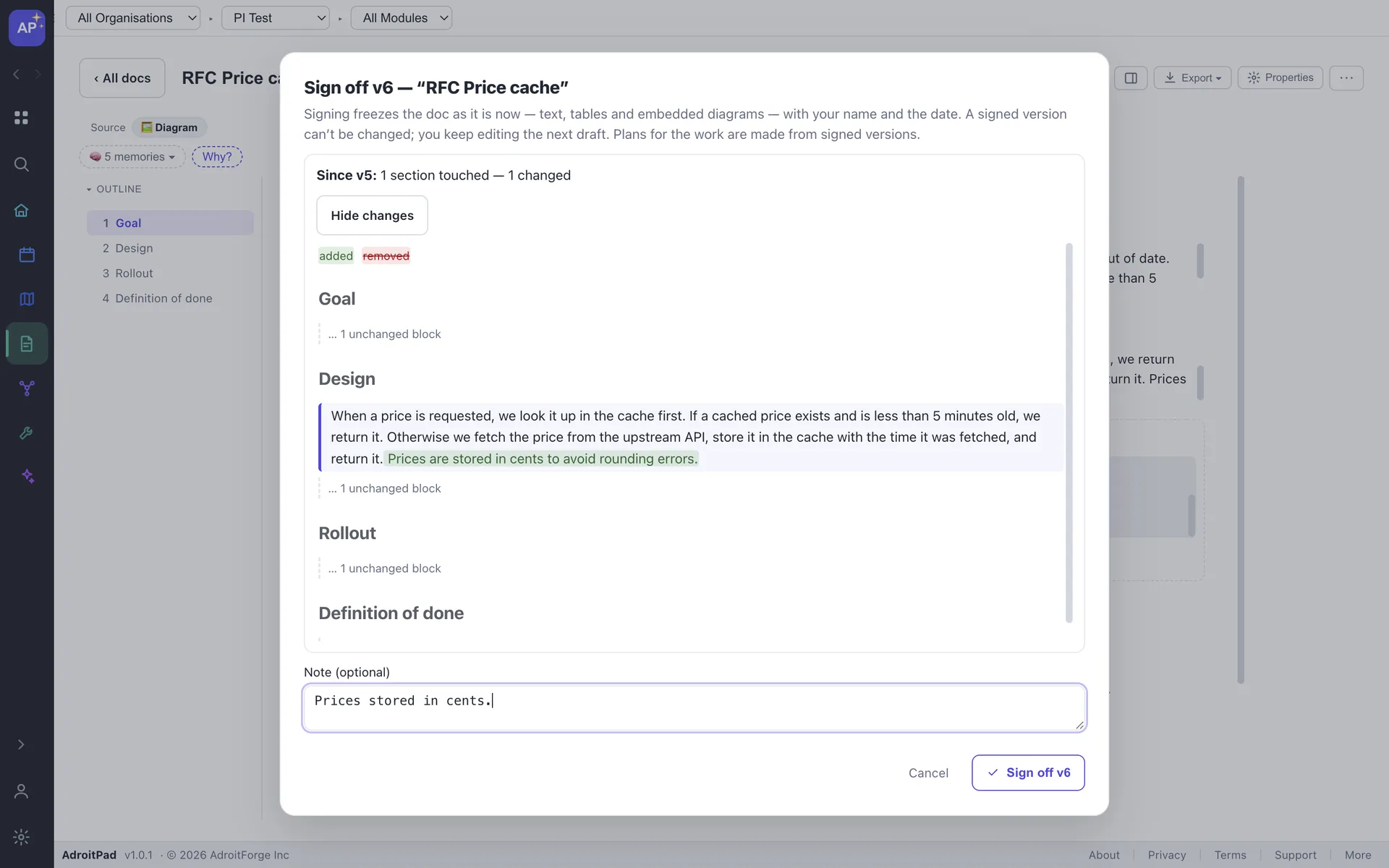
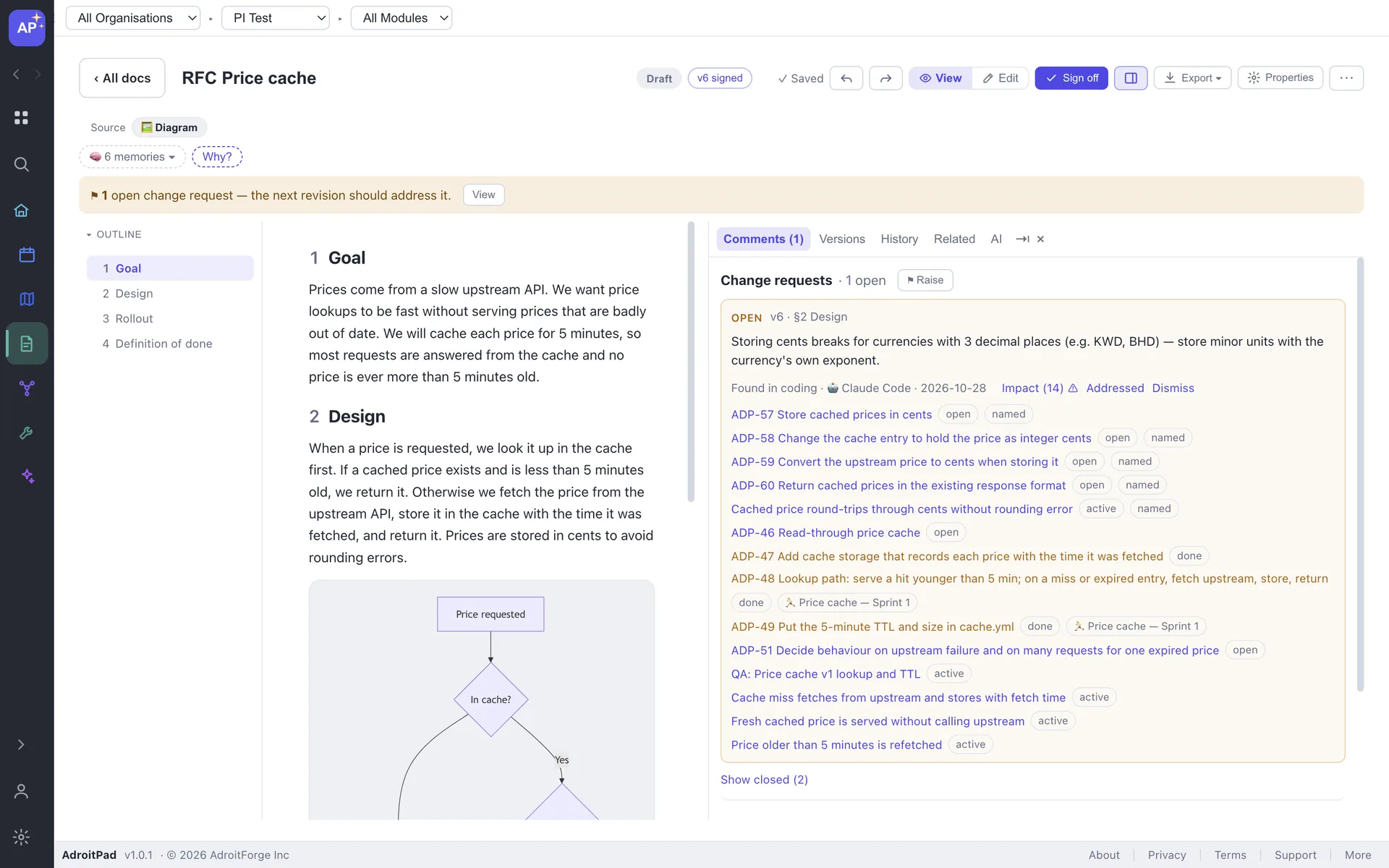
Sign v2 and the agent proposes a re-plan: changes to what v1 made, and drops for what v2 no longer needs. Started work is protected. If a problem appears while coding, the agent raises a change request on the signed section until the next version addresses it.
EVIDENCE
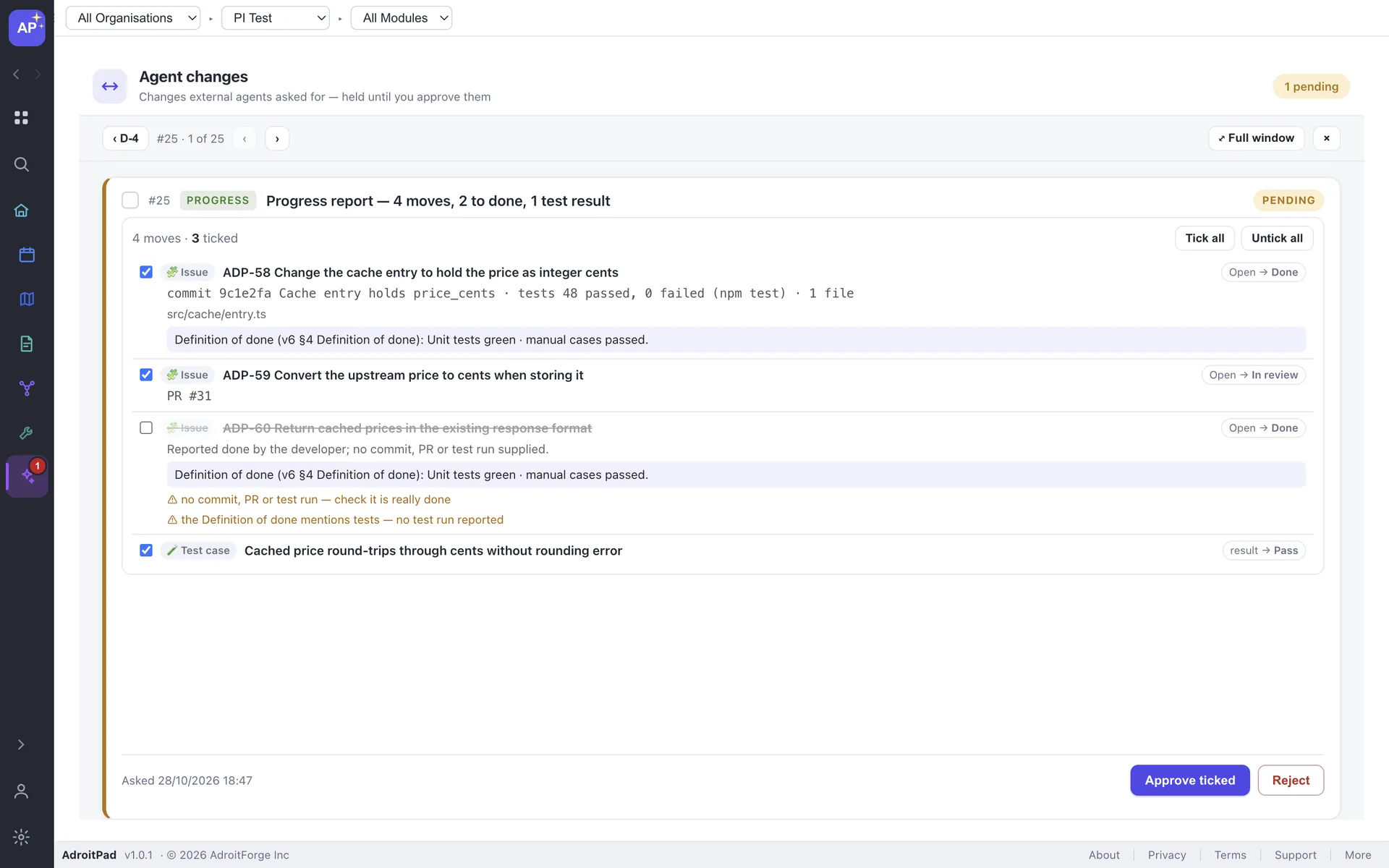
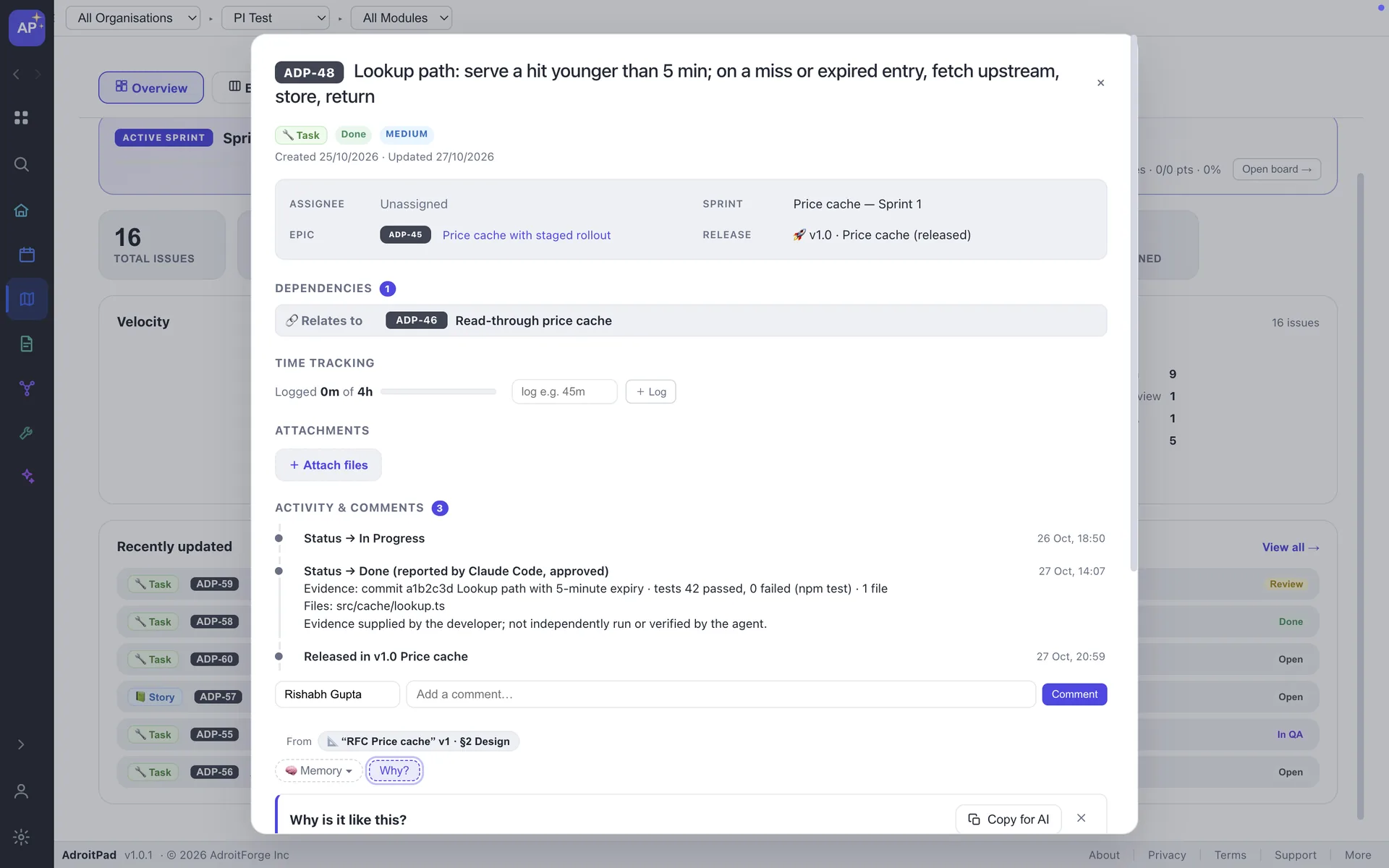
AdroitPad doesn't run your tests or verify the evidence — it shows you what the agent reports, before you approve it.
DELIVERY
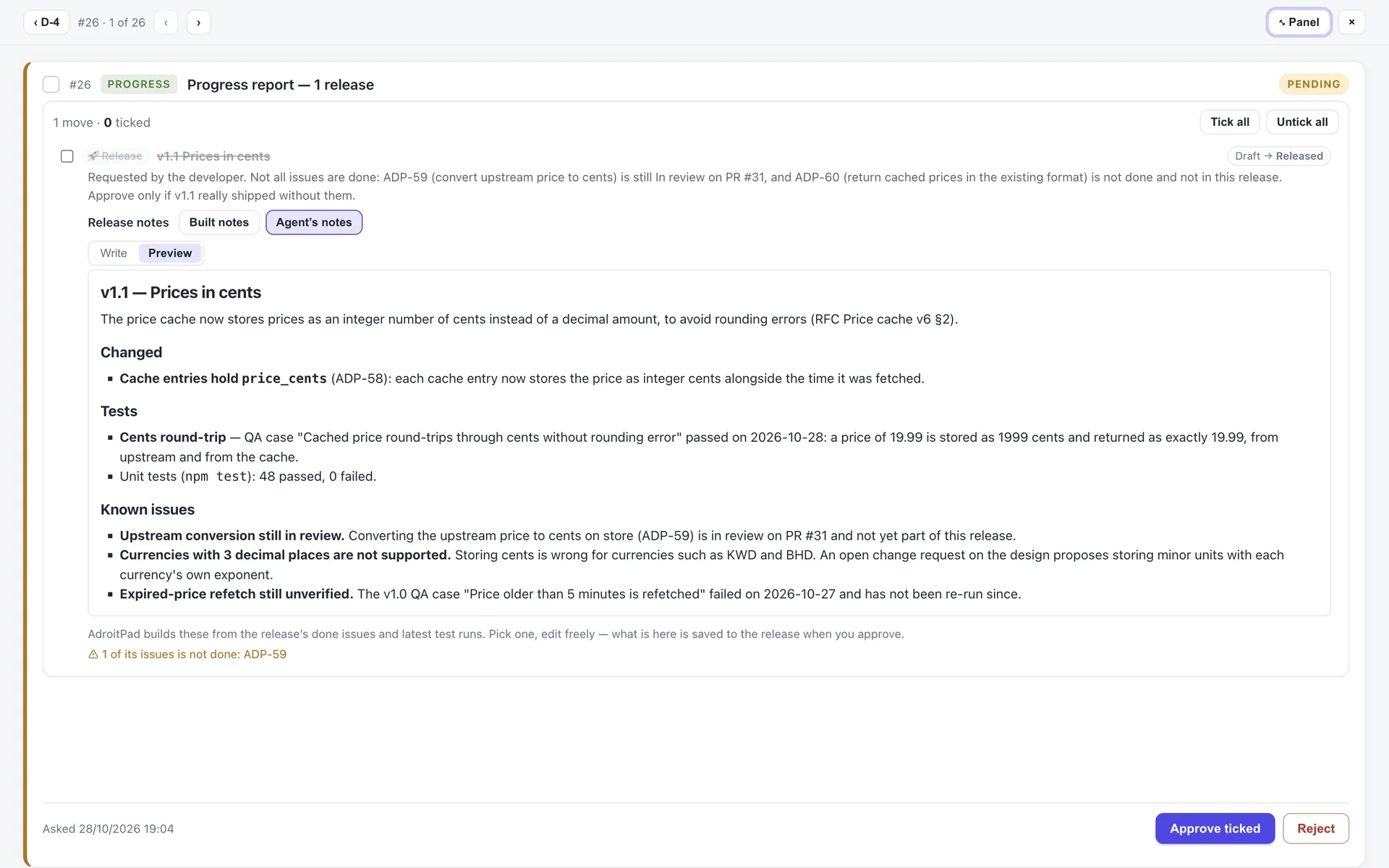
AdroitPad builds notes from done issues and test runs. Ask your agent to review or rewrite them, pick built or agent notes, edit with Write / Preview, then approve.
Releasing with open issues warns first. Without an agent, drafts whose issues are all done show “Ready to release”.
DELIVERY VIEW
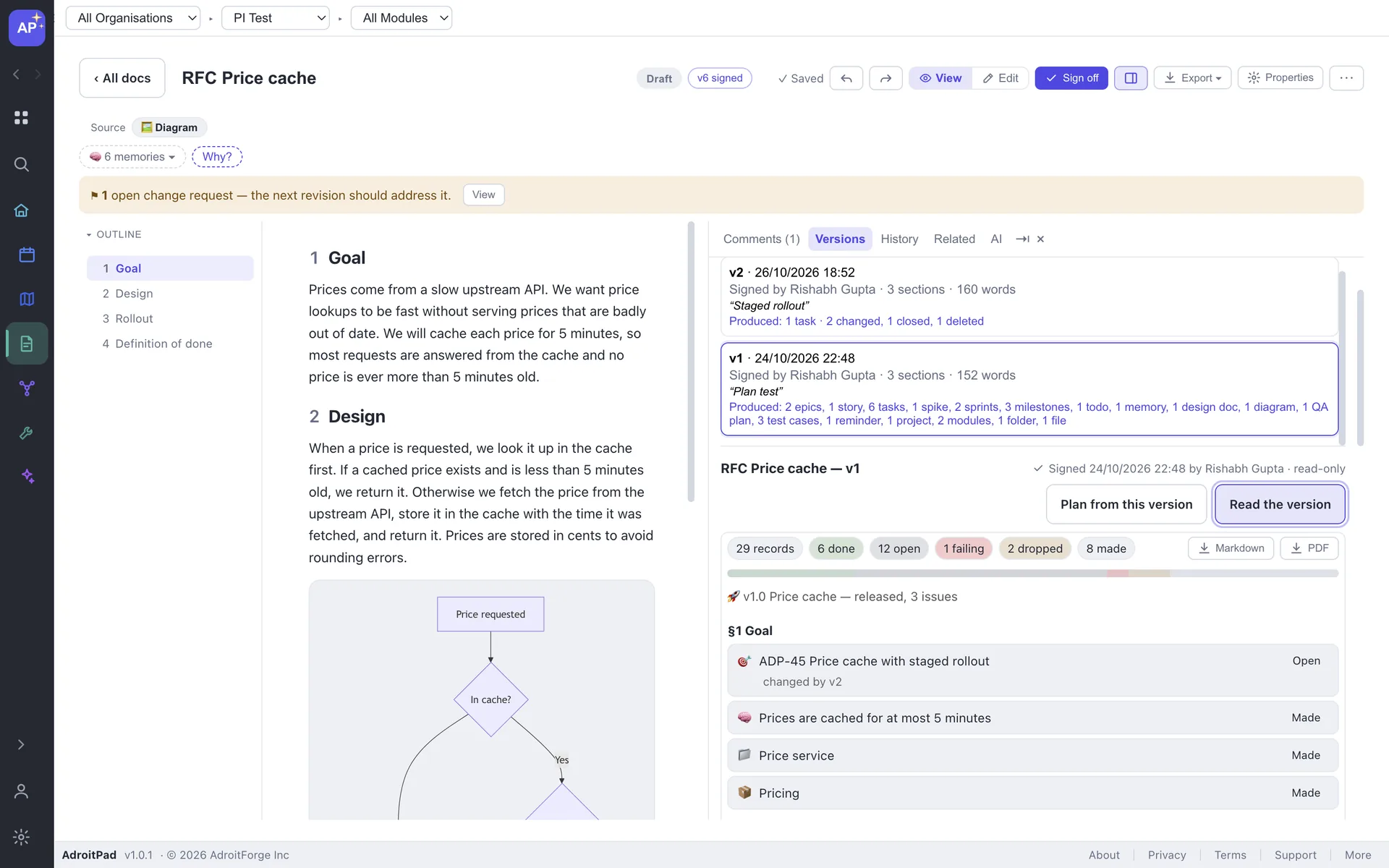
Every signed version’s Delivery view lists what its plan produced, by section, with status, evidence, test results and the release. Export it as Markdown or PDF. Your agent reads what’s still open.
PERMISSIONS
| Permission | What the agent can do | Default |
|---|---|---|
| Project knowledge | Ask questions, what changed, search and read memories | Always on |
| Todos / Notes / Issues / Reminders / Meetings | List a few fields each; secrets removed. Issues also lists releases. | Off |
| Design docs (read) | Read a doc or signed version, section by section. | Off |
| Suggest memories | Save a Hypothesis for you to review; never verified, never edits. | Off |
| Propose changes | Ask to create, update or delete records; held for approval. | Off |
| Propose plans | Plans, re-plans, change requests, progress reports and releases; held for approval. | Off |
APPROVALS
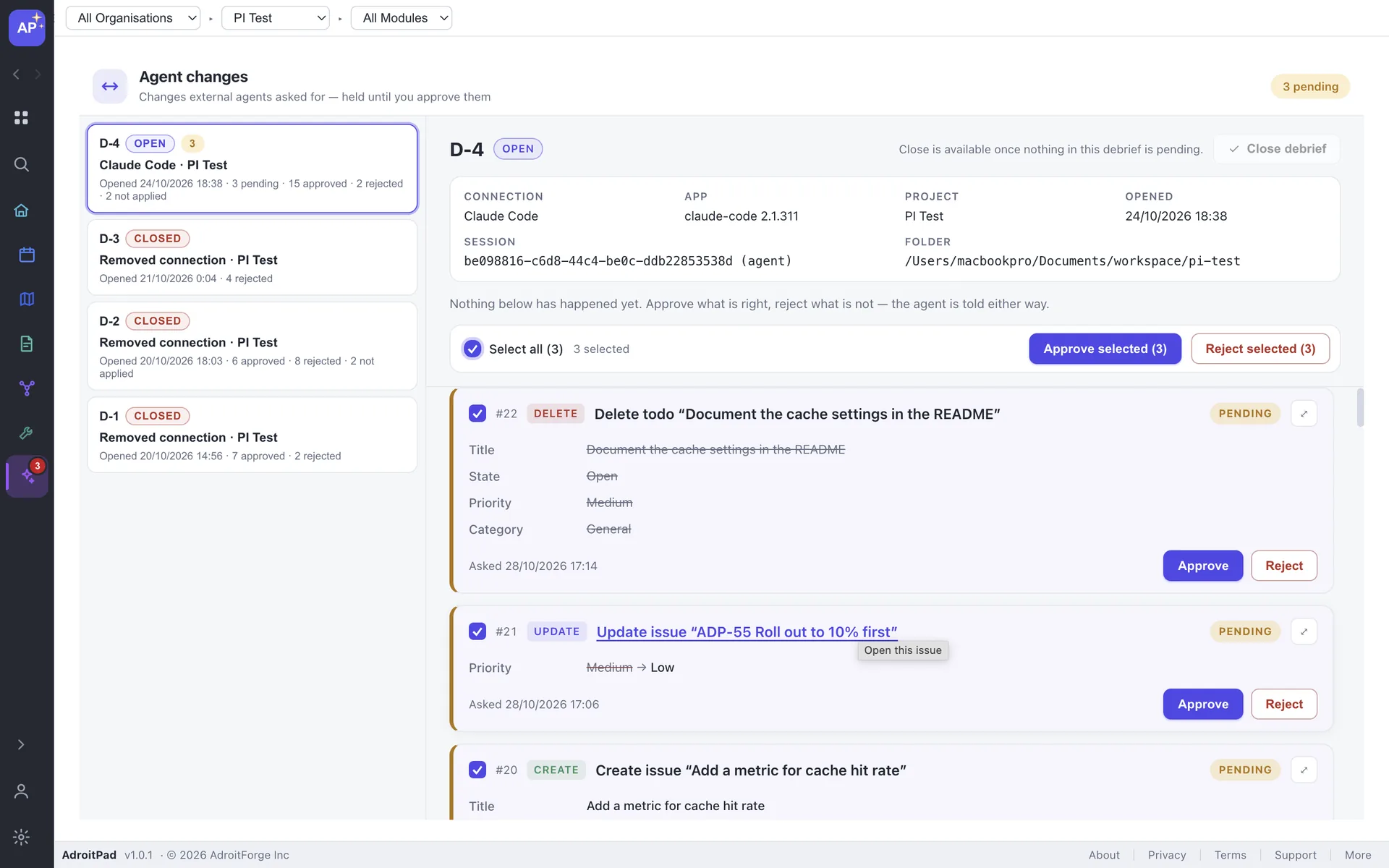
See real values old → new. Approve or reject with a reason. Confirm deletes. Changes that arrive while you look are held back from Select all, and out-of-date changes are not applied.
The agent hears every decision. Approve, reject or open the debrief from the notification. Deletes are approved only in AdroitPad.
Approve or reject with a reason
See real values old → new and leave a reason.
Confirm every delete
Deletes need a second click in AdroitPad.
Out-of-date changes stay unapplied
Changes that arrive while you look are held back.
The agent receives every decision
It hears whether you approved or rejected the debrief.
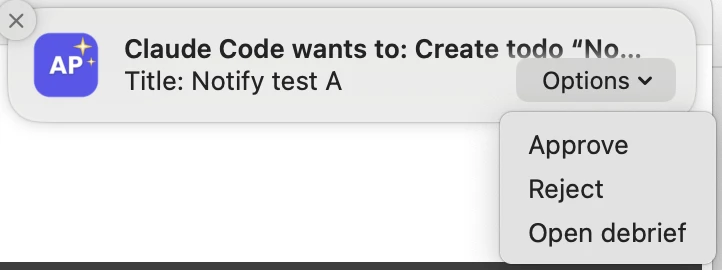
Agent notification showing an approval decision ready to review.
CONTROL
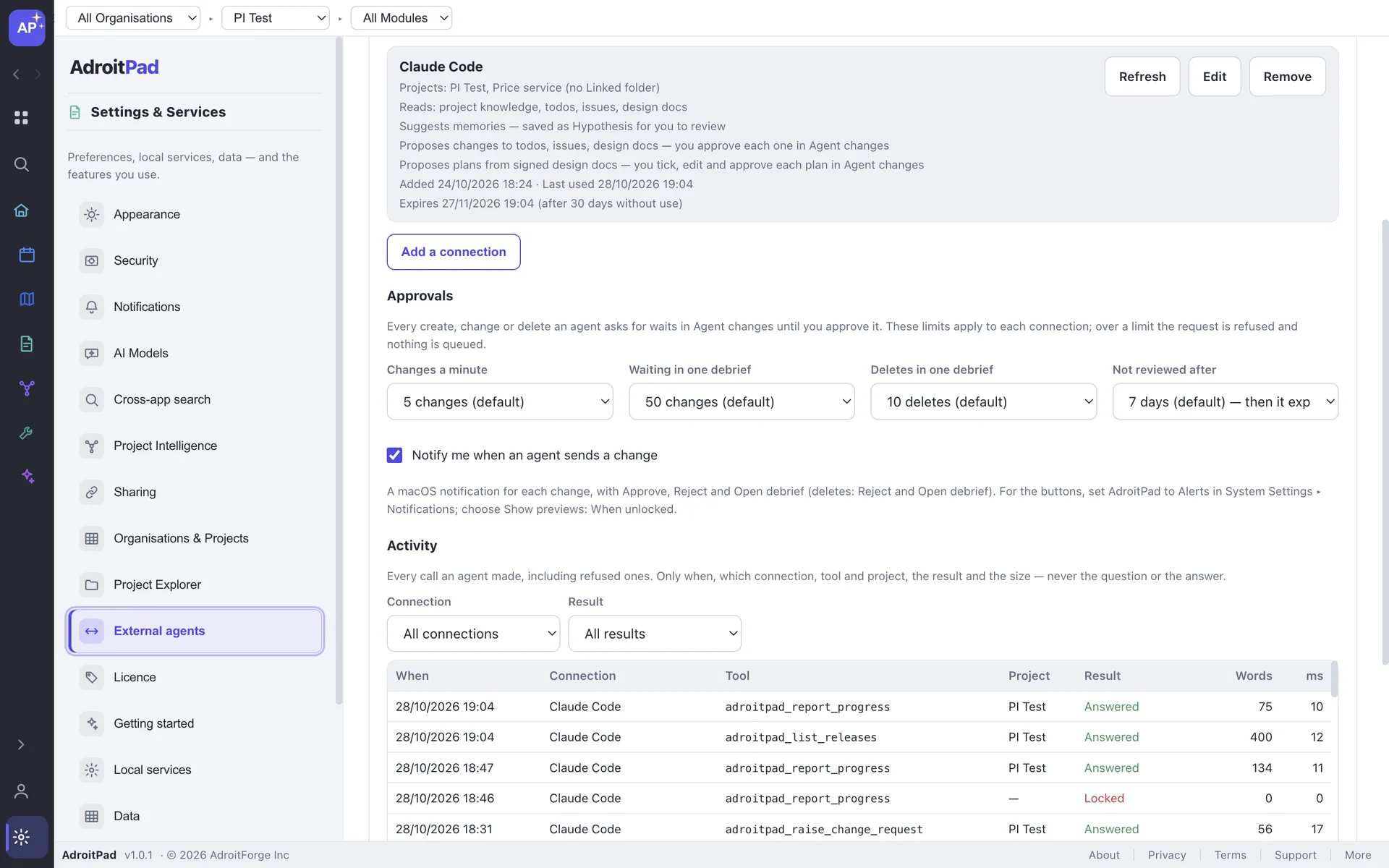
Choose the four approval settings, set connection expiry and control what waits for review.
Plans are limited to 150 items, with one plan waiting per signed version.
PRIVACY
Whatever the agent reads through AdroitPad, because the agent sends its context to its own model. For Claude Code, that is Anthropic. You choose what each connection may read.
Full details on the Security pageAUDIT
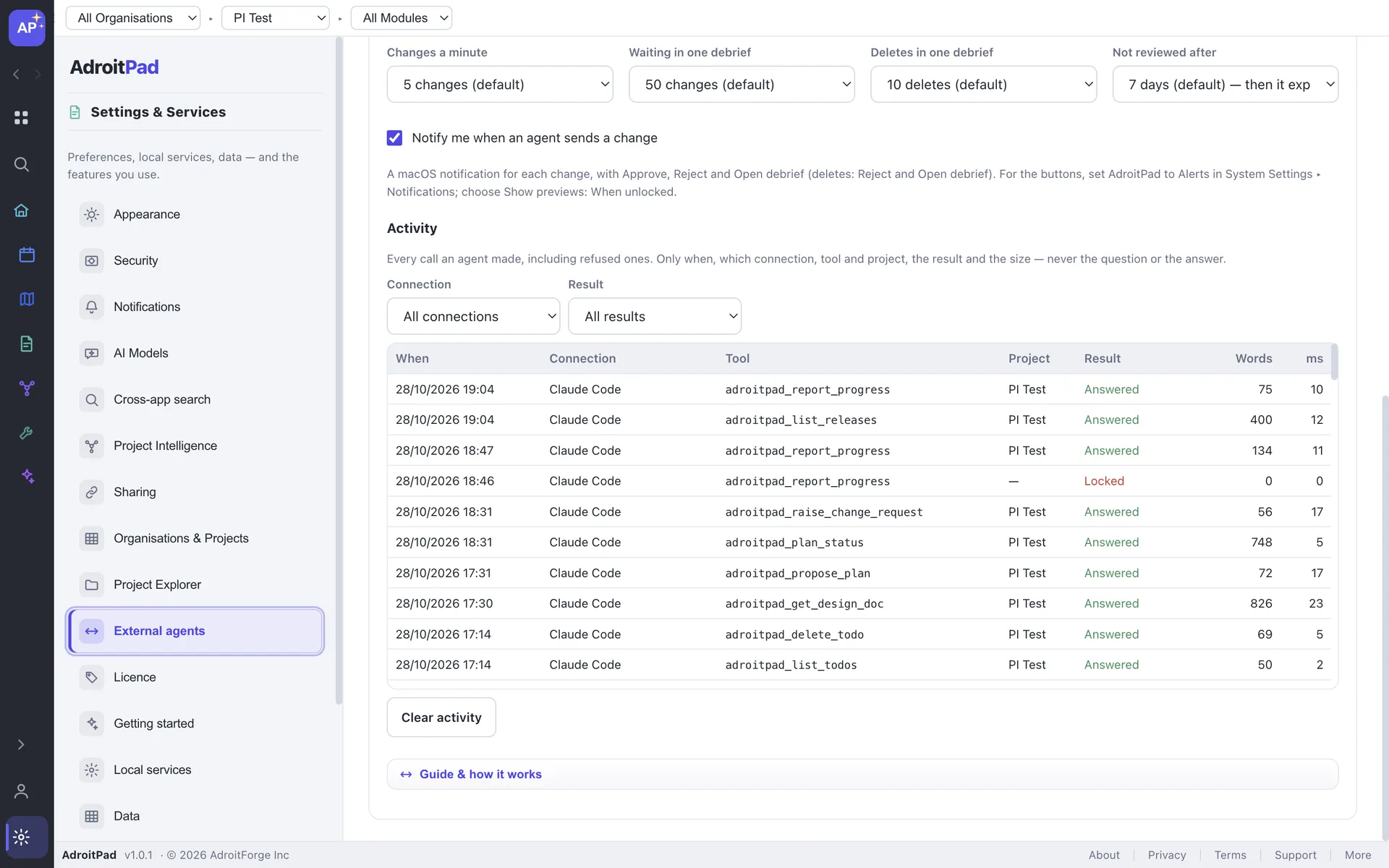
Activity records when, connection, tool, project, result and size — never the question or the answer.
SUPPORTED APPS
macOS and Linux. Not on Windows yet.
FAQ
Only what you let the agent read, and only to the agent’s own provider. AdroitPad sends nothing itself.
No. Plans, edits, progress, releases and deletes all wait in Agent changes until you approve them.
No. It never runs your code. It shows the evidence the agent reported — commit, PR, test counts — so you can judge before you approve.
No. Only you sign. The agent can read signed versions and propose edits to the draft.
Only new files and folders a plan names, inside the project’s linked folder, and only after you approve the plan. It never overwrites a file.
No. The vault is never accessible to any agent and secrets are removed from what it reads.
The agent is told it is locked or not running. Nothing is read or queued.
Claude Code uses the project whose Linked folder contains its working folder. Other apps use the one project the connection names.
No. They all work without one.
Yes. External agents is part of AdroitPad 2.0 at no extra cost; pricing is unchanged.
ADROITPAD 2.0